Match puzzle and garden · Player guide
DNMerge: spend moves on objectives and bring the garden into play
DNMerge connects a match puzzle to a Living Garden. A level has a move budget and specific objectives; clearing a large number of pieces is useful only when it advances those objectives or prepares a better power.
Guide checked against the published game and project records on October 13, 2026.
How to play
- Read the objective icons and the remaining move count before making a swap.
- Match three pieces for an ordinary clear. Larger patterns can create Rockets, Bombs, Couriers or Prisms.
- Activate or combine powers when their effect reaches the required target. Open Menu → Living Garden to explore the separate garden chapter.
Controls
- Mouse or touch
- Swap neighboring pieces to make a match. Select a power or plant ability and follow its target preview before confirming.
- In-game Help
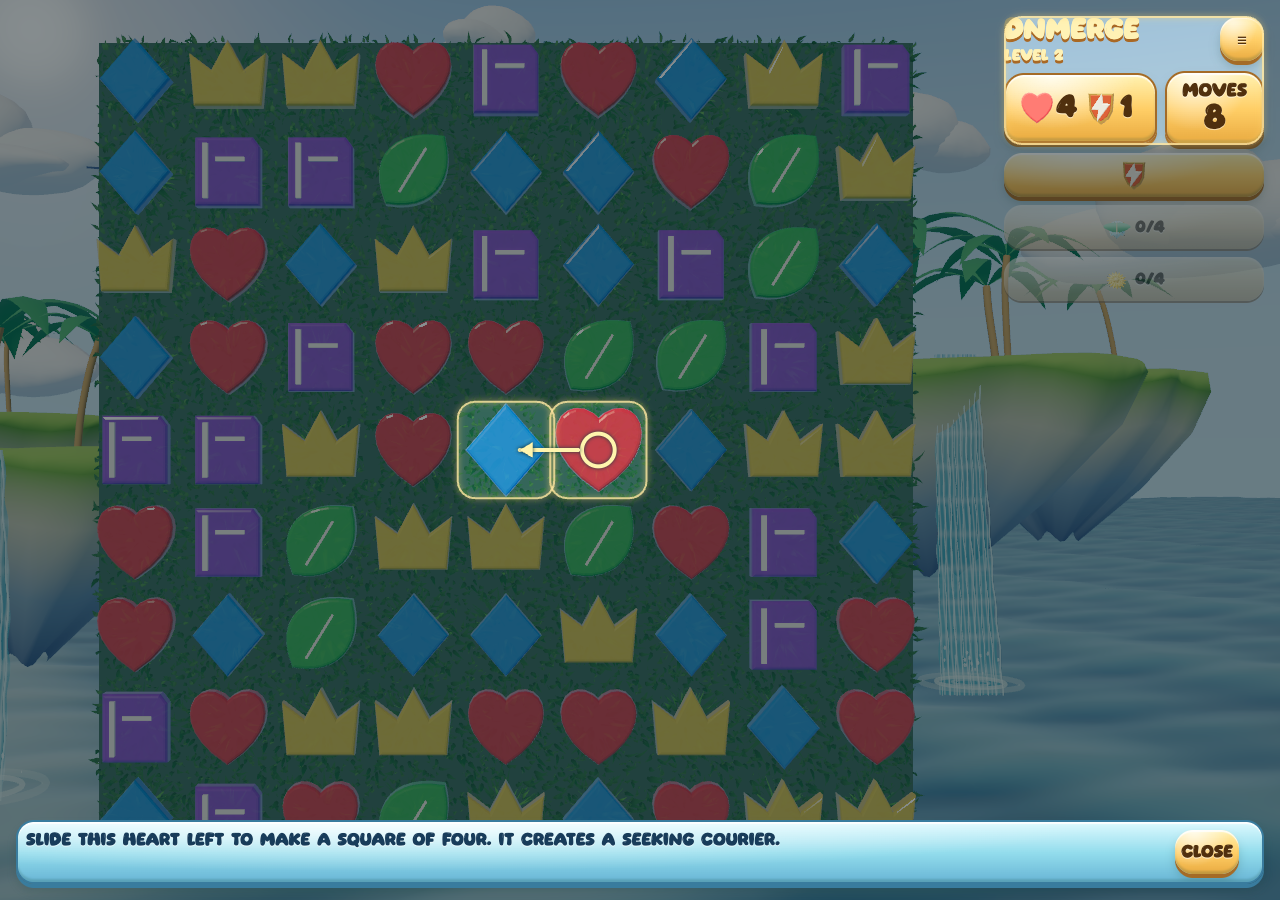
- Use Help to revisit the current mechanic. The opening lessons highlight the actual piece and direction needed for their first action.
Create a power, then decide when to use it
A square of four matching pieces creates a seeking Courier. The creating move and the later activation are separate decisions. If the objective is a hard-to-reach target, preserving that Courier for a useful activation may be better than clearing unrelated pieces nearby.
A line of four makes a Rocket; an intersecting match can make a Bomb; a line of five makes a Prism. Help explains each introduction. Watch the target preview and the objective counters rather than assuming every large effect removes the same layers.
Three decisions to practice
Prioritize the remaining objective
A match that makes a large cascade can still leave the important target untouched. Look for the swap that exposes or reaches the required obstacle.
Treat a preview as a decision point
Tools and garden abilities show their affected cells before confirmation. Inspect the footprint while you can still cancel.
Choose plants for the board
Living Garden allows a limited ability loadout. Rain, sunlight and vine effects reach different shapes, so choose for the board’s obstacles rather than the plant’s appearance alone.
Build a garden that does something
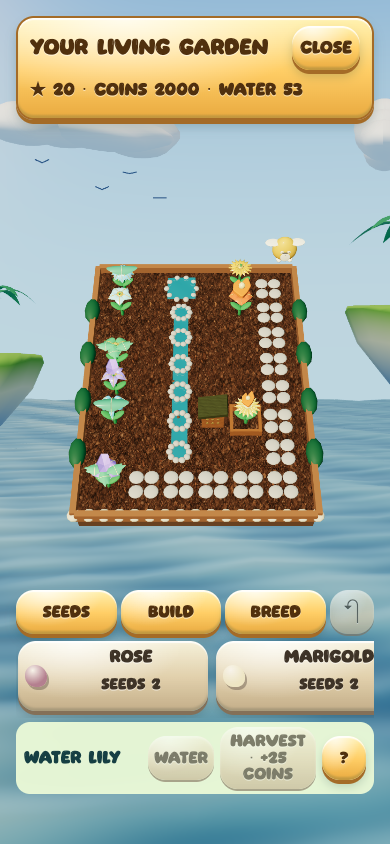
Living Garden adds a 30-board authored chapter. Wins help grow plants; mature parent plants can breed a discovered hybrid. Plant from the seed palette, then use earned coins to preview and confirm garden construction.
Streams connected to a pond or the spring irrigate nearby plants after wins. Raised beds affect growth, while paths and nearby flowers affect habitats. Layout therefore has a purpose beyond decoration. A five-board expedition offers a route choice and a chest at the end.
Progress and practical notes
Campaign, daily challenge, garden chapter and expedition have separate unfinished boards. Coins and garden progress stay local to this browser. Existing saves migrate into the current game; avoid clearing storage as a troubleshooting shortcut.
Behind the project: design and implementation notes
Keep the puzzle and garden records distinct
The garden rewards and construction belong to the host’s saved state. Visual reward travel presents a completed transaction; it is not a second opportunity to earn the same reward.
Learn one mechanic at a time
The teaching boards introduce patterns and obstacle behavior through concrete moves. The garden chapter adds individually arranged boards alongside the existing generated campaign, without turning a new seed into a claim of new authored content.